For the moon-watchers.
Published May 5, 2026
This one came from a customer.
She mentioned, almost in passing, that she’d love to see moon phases on her calendar. She tracks lunar cycles for her creative work — knowing when to start projects, when to rest, when to push through. She wasn’t asking for anything fancy. Just a quiet little reminder of where the moon was that day.
I thought it was a great idea. I added it to the list.
Then last night, insomnia woke me up at some hour that didn’t make sense. Instead of fighting it, I sat down at my computer and thought — what better opportunity than to finish the project in the middle of the night?
By morning, Maryn v1.0.3 was shipped. There’s now a tiny moon next to every date on your calendar — if you want it there.
I love that this came from a real conversation with a real customer. Maryn was always going to be small and intentional, and the best parts of it are going to come from women who use it and tell me what their actual lives need. Not from me sitting alone trying to imagine what someone might want.
Here’s how it works
A small moon icon appears next to dates on your calendar and journal entries. You control how often you see it — go to Settings → Moon Phases and pick one of three options:
- Off — the default. You won’t see them unless you turn them on.
- Key phases only — just new moons, full moons, and the quarters. Roughly four per month.
- Every day — the moon for every date.
The icons are subtle. Cream and plum, matching the rest of Maryn. They look right in light mode and dark mode. They flip orientation automatically depending on which hemisphere you’re in. They’re astronomically accurate — I rebuilt the math twice to make sure.
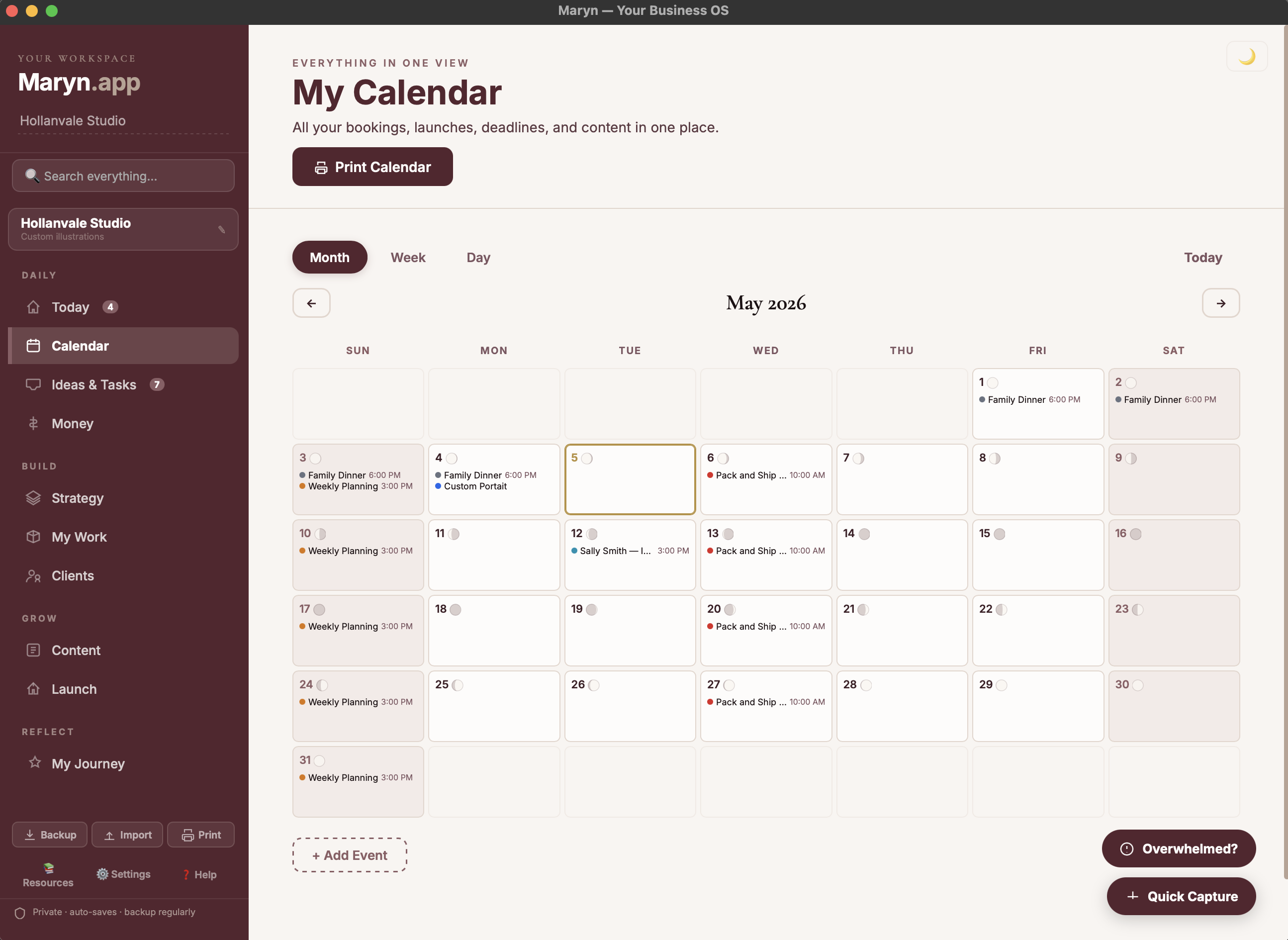
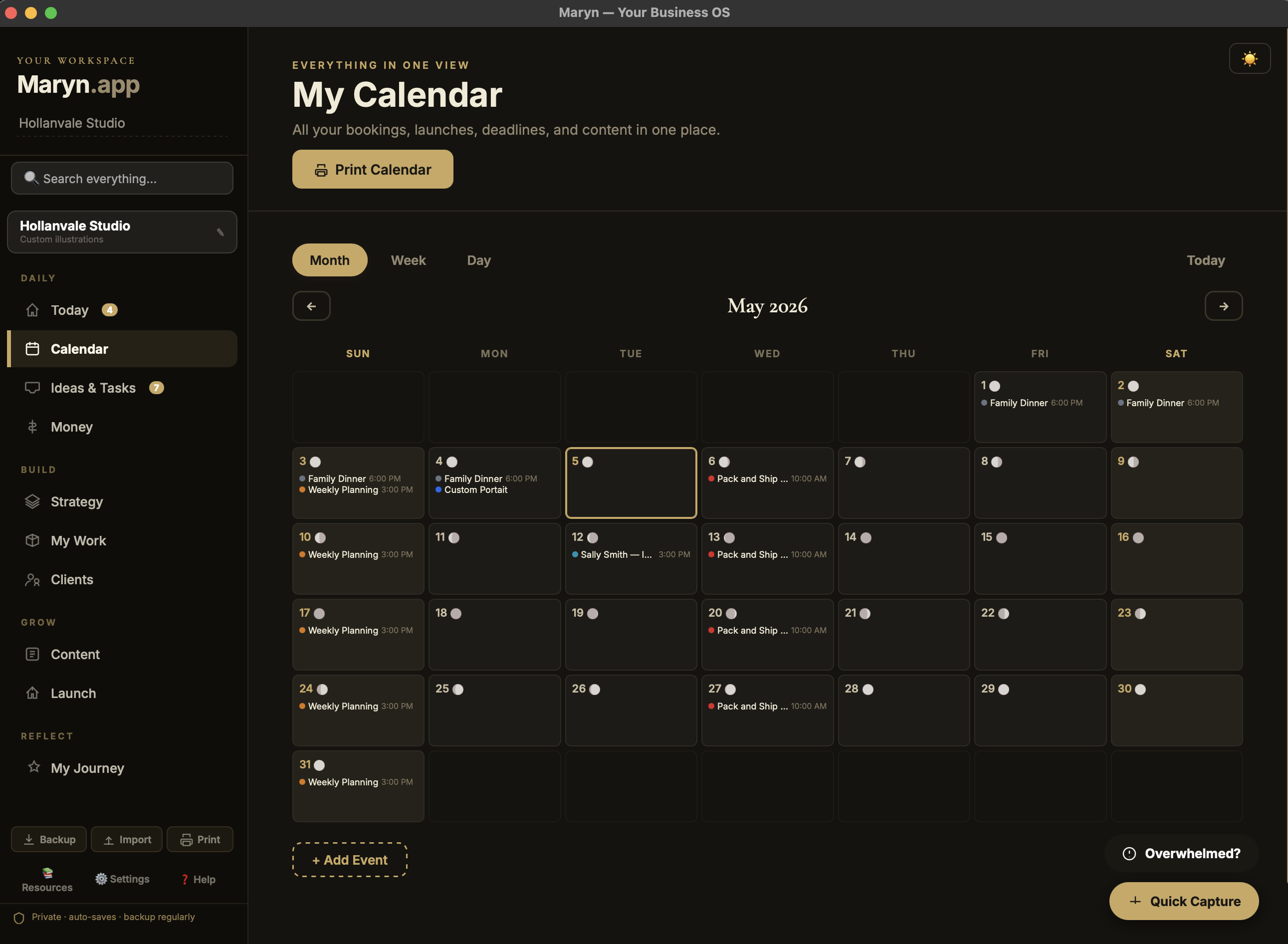
Light mode and dark mode
If you don’t track the moon, you’ll never see them. If you do — they’re already there, waiting.
To the customer who asked: thank you. This one’s for you, and for everyone like you.
xx, Jen